Here's a checklist of things that you need to have and/or do to reduce the number and severity of problems in your computing life. A nice alternative list we like is here, which is geared along simpler lines. Check back here periodically for updates, and feel free to copy this information to a document on your desktop - or better yet, printed out and posted next to your monitor!
Positek.net recommends you follow these safe computing guidelines:
- Practice safe computing (see the details on the right).
- Use anti-virus protection: Positek.net recommends
Zone Alarm Security Suite, which includes anti-hacker, anti-spam and
anti-spyware protection. Do not use outdated antivirus software! Think: The bad guys have had up to a year to find ways to defeat the protection provided by last year's prograrm.
Always purchase the latest version whenever it becomes available.
- Use anti-hacker protection: Positek.net recommends Zone Alarm
Security Suite for personal computer protection, which includes
anti-virus, anti-spam and anti-spyware protection. If your computer is part of a network (subject to the network owner's permission), you should also have a hardware firewall. For home users on broadband connections, a firewall/router that incorporates both NAT & SPI is not much more expensive than a standard Cable/DSL router, so why not get the added protection of SPI? Look for SPI or Stateful Packet Inspection on the packaging. For home users, Positek.net recommends the
Linksys WRT54G or the Netgear ProSafe line of firewall/routers. N.B. While not all hackers are bad guys, bad guys on the internet are often hackers. They use thousands of unprotected computers just like yours to launch attacks against other computers, send viruses, advertising, hoax emails, spyware, etc. Most times, the unwary computer user notices only that their computer is running a bit slower than it used to, when in fact it is a "zombie" under the control of a bad guy somewhere.
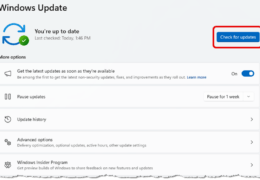
- Keep Microsoft Windows up-to-date: Use Windows Update regularly (on Internet Explorer's Tools menu) - at least weekly - to keep your
Microsoft Windows operating system (Windows XP, 2000, ME, 98SE or 98) up-to-date. Install any and all critical updates and Service Packs as soon they appear. If you have Windows XP Service Pack 2 (SP2), you should have set this to happen automatically. Otherwise, either use the critical update notifier feature in Windows, or go to Windows Update often. Install everything you see (except maybe stuff under the device drivers section, you should really get those from your computer manufacturer's support website). Even if you use another type of browser (Opera, Firefox, etc.) you should run Windows Update because many of the security updates apply to the entire operating system, not just Microsoft Internet Explorer.
- If you have Windows XP and MS Office, consider upgrading to
Microsoft Update (on the Windows Update website), which combines
automatic updating features for nearly all installed Microsoft
products.
- Keep other software up-to-date: Keep your other software up-to-date, especially Microsoft Office. For Office users, run Office Update on a regular basis (like weekly). Be sure to have your Office install CD on hand - for some arcane reason Microsoft requires it to update
older version of MS Office. For any other software that you use, check the vendor's website at least quarterly for updates, patches, and upgrades. Out of date software is a constant source of problems, both from the standpoint of system reliability, and often from the standpoint of system security.
- Don't allow any other programs or utilities to be installed
with software you download or buy. Look at the
installation dialogue windows carefully and uncheck or deselect
any add-ons, trial versions, or utilities other than the program
you are intending to install.
- Use anti-spyware protection:
Positek.net recommends Webroot Spy Sweeper or Sunbelt Software Counterspy (only use one) for protection against spyware,
adware, malware - any program or utility that attempts to sneak its
way onto your computer. If your system already is infected (and if
you haven't proactively protected your computer system when you
first turned it on--it is), use both these programs in turn, and also Spybot Search & Destroy and Ad-Aware SE Personal 1.06
to fully clean off junk. Some really bad stuff may require more
powerful (and potentially dangerous) tools, such as HijackThis or CWShredder. As usual, keep
protection software up-to-date (download updates often) and run a
scan of your entire system on a regular basis (say, monthly or more
often).
- Stop popups, SPAM, and other junk: For popup protection, Windows XP's SP2 includes a measure of protection, but we recommend everyone use an additional program to block popup ads. The Google Toolbar gives good protection for Internet Explorer, and also gives you a handy way to search for information quickly. For SPAM, we've found that none of the current products does a great job at stopping SPAM.
Interestingly, Zone Alarm Security Suite's anti-spam
tool is very good, and since you should already have it, use it! For other junk, we recommend you turn off Windows Messenger service (this is not MSN Messenger or AOL or anyone else's IM products, but something built into Windows and usually unnecessary). A handy tool to do this is available at
Gibson Research Corporation along with 2 other handy tools (see "Your Three Musketeers").
- Internet Explorer has a number of well-known security concerns (and new ones
are being discovered daily). As an alternative, you can use a different web browser. Internet Explorer is built-into Windows, and has serious security concerns. A great alternative is Firefox, available at www.mozilla.org. It has popup protection built-in, and a host of other features. Simply use it instead of Internet Explorer to surf the web.
NB: Like any other software, scrupulously keep it
up-to-date. And don't assume that using Firefox gives you complete protection from bad stuff. Use care when surfing the net (see tips at right) -- surf defensively!
|
|
Safe Computing Practices
Safe computing practices continue to evolve over time as the bad guys find new ways to complicate your computing life. Currently, we recommend you follow these guidelines:
Backup your documents and data somewhere (may we suggest an inexpensive "thumbdrive"). Do this at least monthly
- weekly or daily if you use financial management software or make important changes to documents or data often. Hard drives always fail at the worst possible time!
Never respond to unsolicited email! Do not respond or act on any e-mail messages that warn of computer viruses or anything else (and don't forward them to anyone) 99% of them are hoaxes. Don't respond or act on messages asking for any personal information from you (even if from an apparently reputable source) - a technique known as "phishing" is rampantly compromising people's bank accounts etc.
Never open email file attachments unless you a) are expecting it from someone, b) have first saved it to your hard drive and scanned it for viruses, and c) really need it.
Most computer viruses come from infected file attachments, and no
protection program is 100% effective.
Read the text of any window that pops up, and unless you are 100% sure you should say "yes", "ok", "install" or whatever it asks you to do, either say "no" or "x" the window out.
Yes, that means if you are 99% sure, it is NOT ok!
Only trust your 'trusted entities', which are Microsoft, your computer manufacturer, and the protection programs (antivirus, anti-hacker, anti-spyware,
anti-spam) that you've installed. Follow these programs'
advice, and treat everything else with suspicion.
Do not give your email address to any commercial vendor unless you want to get SPAM. Consider using a free email account just for junk mail.
Block SPAM, and never open any unsolicited email. Just
delete them. If you're not sure, save the message as a txt
file to your desktop, and open that file.
Do not use any file-sharing software. Do not get free
stuff from the internet of any kind (with a very few exceptions
noted throughout this website).
If in doubt about doing something on the computer, don't do it till you know whether it's legit or not. Research the issue or ask a computer expert. We like to "google" everything
and peruse the search results to help make a wise decision.
|